Certification Paths
Percipio presents several IT and Business certifications from global leaders in information technology and sponsors of best practices in business process.
If you are interested in getting an industry or company-specified certification, you can follow a certification path. A certification path guides you through the resources you must take and the steps you must follow to achieve a certification. Once you achieve your certification you can upload your credentials to Percipio to report and track on it. You can track your progress and stay current using the Certification Center.
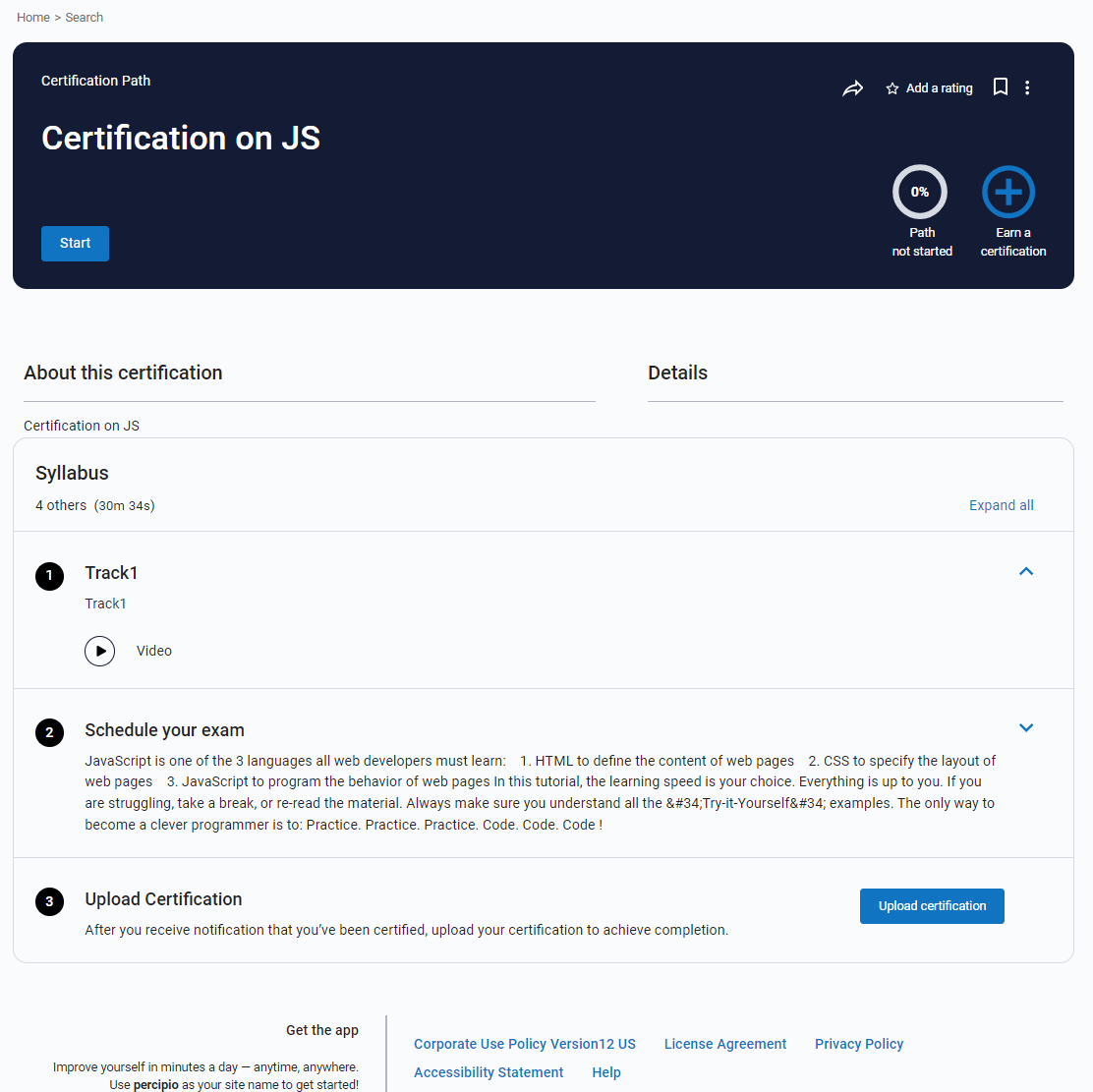
Find Certification paths
You can search on certified to see what is currently available.
If the certification path you want is not yet available, you can get a jump on your training by completing the resources in the certification channel. You can find all available certifications from the Certification page:
- From left navigation bar, select Certifications. The Certification Center opens.
- Locate the certification you want and select it.
Complete a certification path
When you make the commitment to get certified, you can start a certification path. To complete a certification path, you must:
- Locate the certification path and open it. You may see details describing the certification, the skills you'll gain, and any pre-requisites needed for success.
- Select Start from the header. The first item in the path opens so you can start learning.
- Complete all items in each track. If configured that way, you must complete items in the order presented. You see a check mark next to completed items.
- Some actions require you to go to another site. For example, you must go to another site to register to take the exam. Once you complete the action, mark it as complete.
- Once you achieve your certification and receive your credentials, you can upload your certification to complete the certification path. If available, you can download a completion certificate for the certification path.
Related Articles
People Fluent Learning - Certification Creation & Management
This article includes three videos to help with Certificate Creation & Management for PeopleFluent Learning. How To Create A Certification Organizing Certificates How to Assign a Certification to a Learning Modulepcl.LMS Learning - How to set completion rules for courses
pcl.LMS lets you define what users have to do to complete a course. When the completion condition is met, users can move on to the next course. To set a completion rule, follow these simple steps: 1. Sign in to your pcl.LMS account as Instructor and ...PeopleFluent Learning - Create a Certificate Award Attribute
You can create certificate award attributes to include additional information to certifications awarded to learners in the Career Development Center or uploaded via the Awarded Certificates CSV Loader. Administrators with unrestricted access to the ...PeopleFluent Learning - Import Awarded Certificates
You can award certifications to one or more learners at once, or delete certifications from learners' transcripts, via the Awarded Certificates CSV Loader. You must first populate in a comma—or semicolon—separated values (CSV) file a row for each ...pcl.LMS Learning - Custom reports: Learning progress results examples
pcl.LMS lets you create your own Custom reports to narrow report results to specific groups of users, and focus your reporting on important stats and attributes. Custom reports can show results related either to Users only or to Users and Courses. ...